Cut MakerCut Maker

Home › First AI video

FIRST AI VIDEO · TOTAL BEGINNERS

Know nothing? That’s fine.Just follow the steps

Story → main character → shots → video → polish → upload. We make your first 15-second AI video together, start to finish. Costs from $0.

▶ EP 15-3
You’ll make something like this — a 15-second action short like Si-eun’s “Zombie Cliff”
Time2–3 hours
CostFrom $0
You need2 free accounts
My progress

📌 Your progress is saved on this device. Bookmark this page and come back after making your clips to polish and save.

💡 No need to connect ChatGPT, Gemini and Claude. Pick one and use it as your “story & prompt helper”. Pictures and videos come from separate AI tools.

💬 A note from the maker

I spent a whole week on YouTube and Google just trying to make my first AI video.

Where do you write the story? What makes the pictures? Which video AI should you use?

There was no single place that explained it from start to finish.

So I put the path I struggled through, in order, on this one page.

Follow it and it takes a day, not a week.

— the maker of Cut Maker

🎬 Which video AI should I use?

These turn one picture into a moving video. Practice where there are free credits, then pay only when you like the results.

⭐ Cut Maker pick

Higgsfield

New users: up to 50% off
  • Popular video AIs like Kling, Seedance and Veo in one place
  • Every episode of Si-eun’s “Zombie Cliff” was made here — in exactly this order
  • Add your character sheet and keep the same face in every shot

Affiliate link — Cut Maker may earn a commission if you sign up. There are no free credits, so you can practice on the free services below first.

Start with Higgsfield →New users up to 50% off

💸 Want to practice for free first?

Google Flow Veo

Free credits every day
  • Start with just a Google account
  • Short clips (4–8 s), a few a day

Dreamina Seedance · CapCut

Free credits every day
  • Natural human movement
  • Watermark on free videos

Kling · Hailuo · PixVerse

Free credits (terms change often)
  • Watermark and lower quality on free

ComfyUI Wan · LTX

Your own computer · unlimited free
  • Needs a 24GB+ graphics card · hard to install
① Practice
One shot at a time, free
→
② Same face
Character sheet as reference
→
③ For real
Make a series on Higgsfield

Free credits and terms checked in November 2026. They differ by service and country and change often.
0

Get readyDoneTwo free accounts and you’re set

5 minFree
Just do this: Sign up for 1 chatbot + 1 video AI
  1. Chatbot — ChatGPT, Gemini or Claude. Any one (use the one you already have)
  2. Video AI — Higgsfield (new-user discount). To practice first: Google Flow or Dreamina, free
1

Pick your storyDone15 seconds = 3 shots. Action with no dialogue is easiest

10 minFree
Just do this: Choose 4 things: genre, cast, place, twist
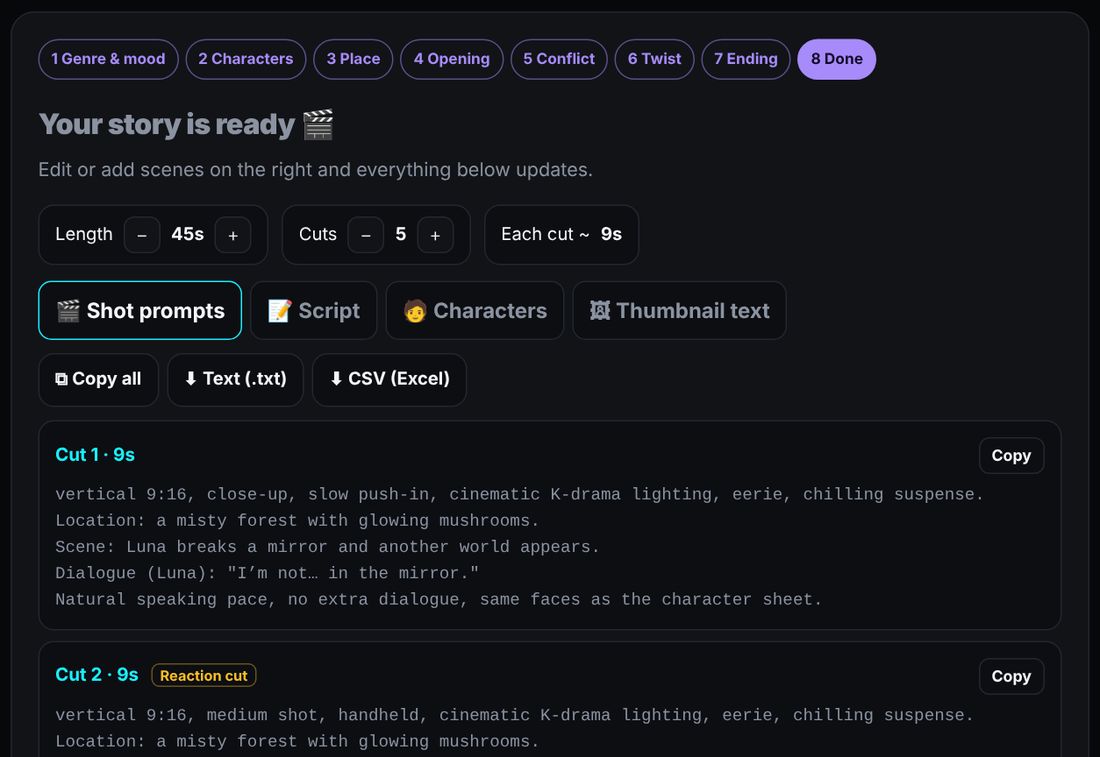
  1. Open the story builder and just pick — you get a 3-shot script and a prompt for each shot
  2. Don’t like it? Tap again. It’s free
Cut Maker

👆 What it looks like

Build my story →
2

Make your main characterDoneThe secret to the same face in every shot

20 minFree
Just do this: Make one character sheet
  1. In the character sheet tool, pick age, hair and outfit, then copy the prompt
  2. Paste it into an AI that draws for free (Gemini, ChatGPT and others)
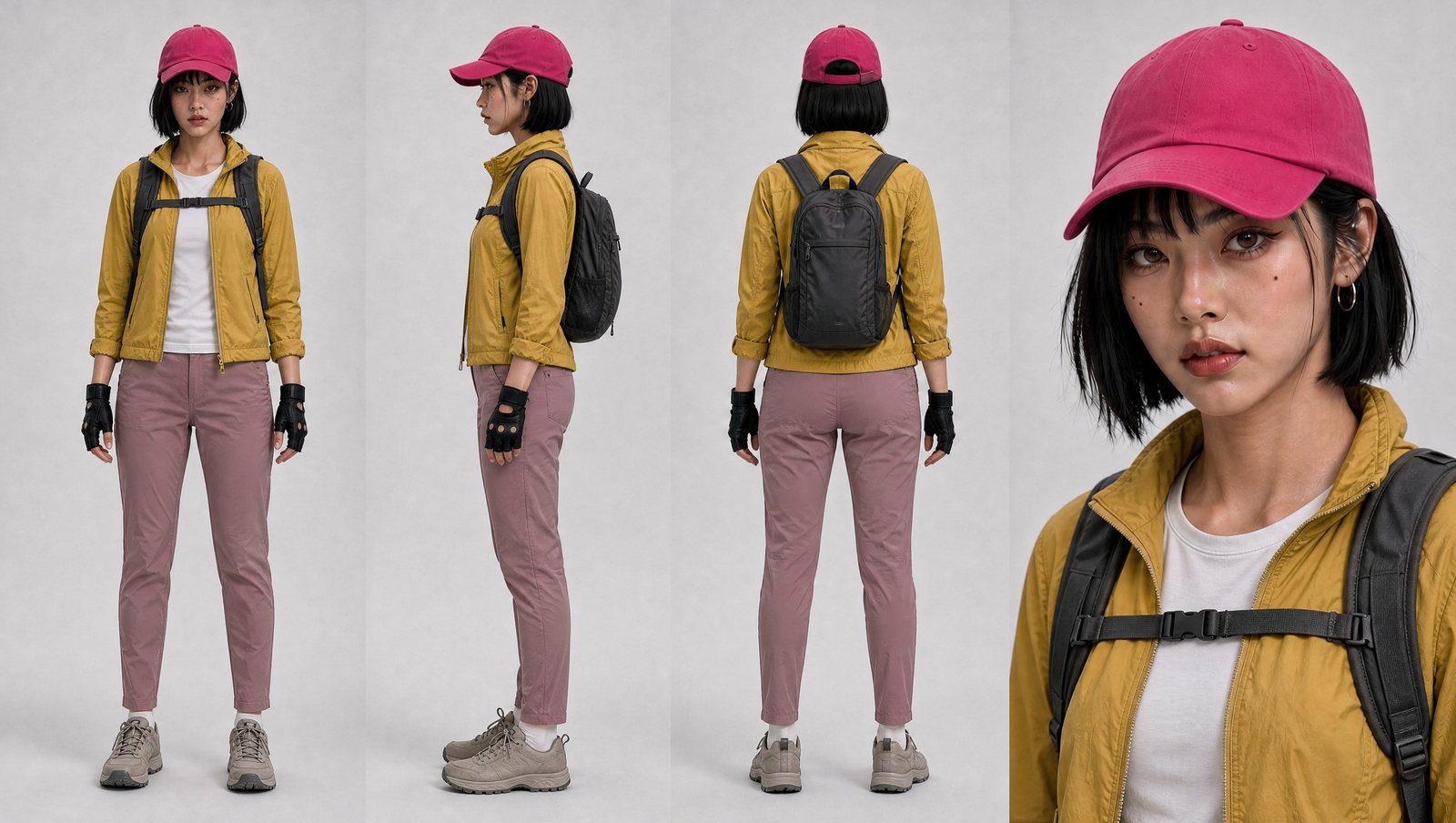
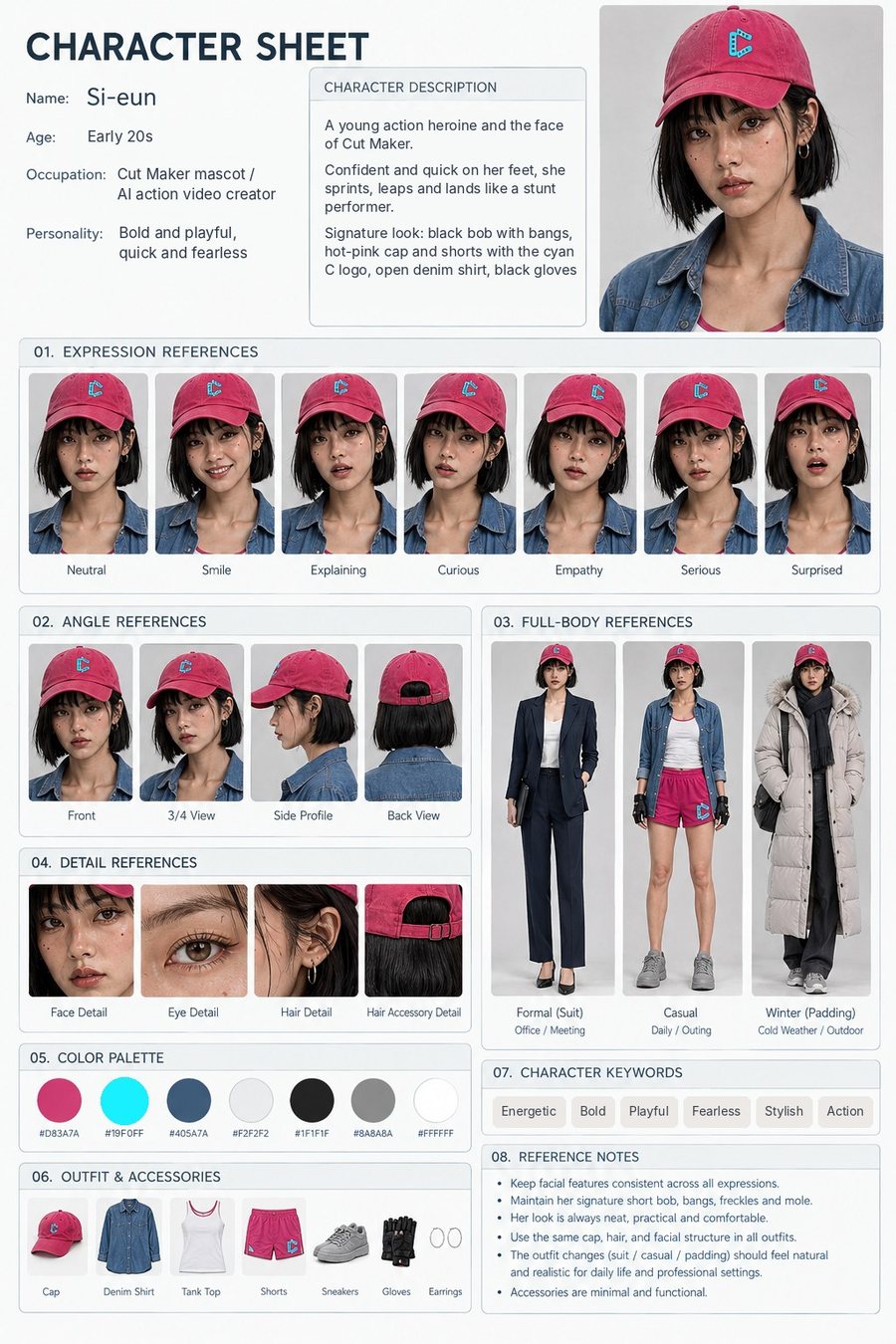
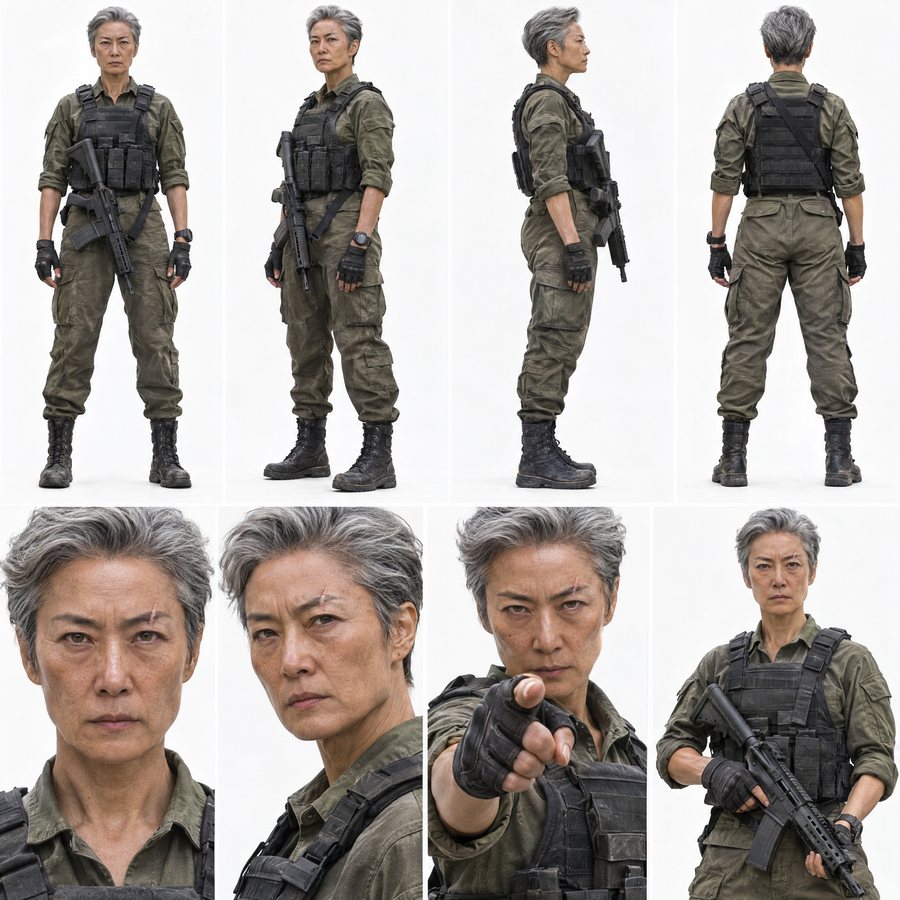
  3. Save the sheet image with front, side and back views — it becomes the “reference image” for every shot
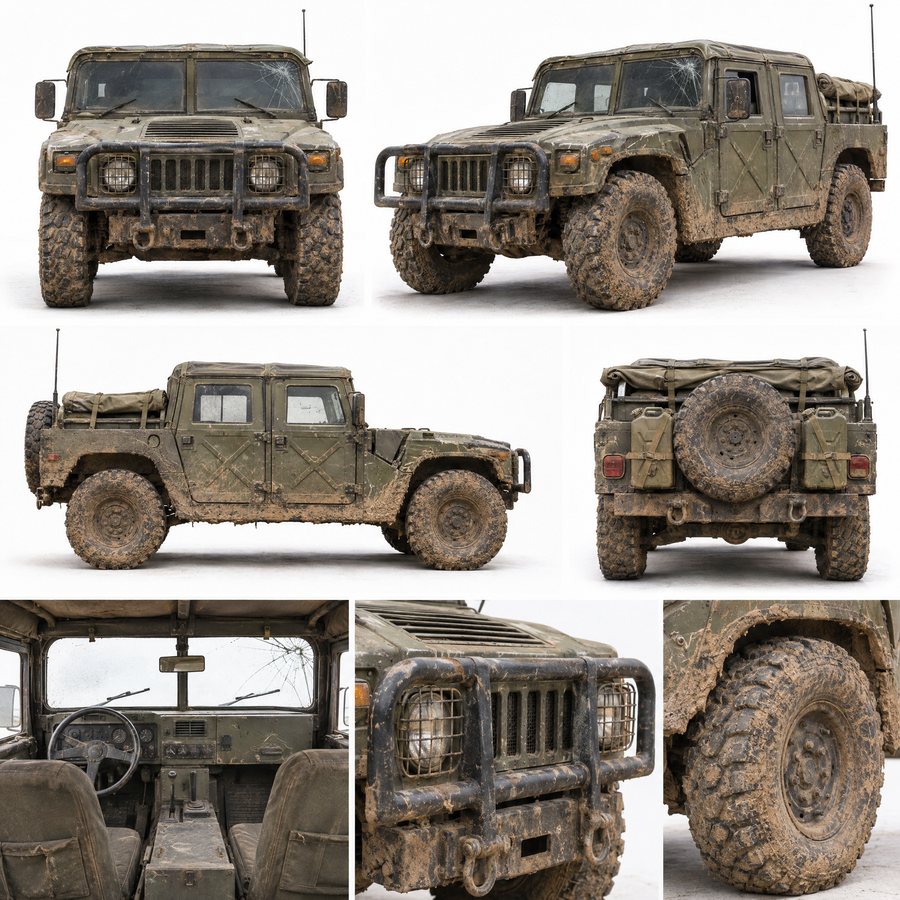
  4. One sheet per character and vehicle — like the real “Zombie Cliff” sheets below
character sheet

👆 You need a sheet like this first — Si-eun’s character sheet (front, side, back + face). Add this one picture to every shot
Cut MakerCut MakerCut Maker

Make a sheet like this for every character and vehicle — that’s what keeps them the same in every shot: Commander · Humvee · detailed design sheet
3

Split shots & check line lengthDoneCheck it fits in 5 seconds before you spend credits

10 minFree
Just do this: Paste your script and fix the red lines
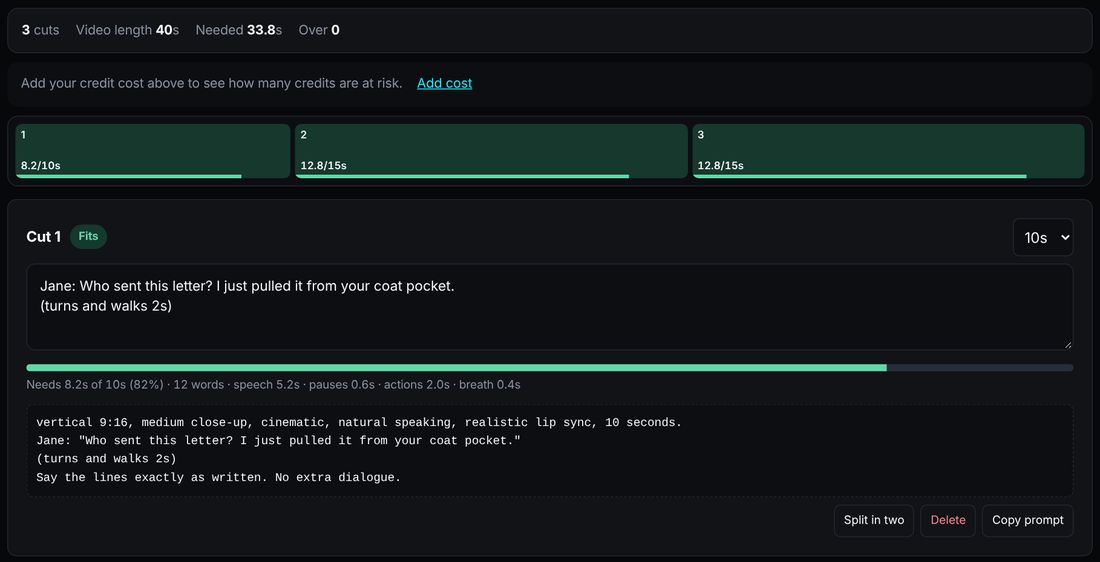
  1. Paste the script — you see the seconds for every shot
  2. Red means too long: cut words until it turns green
  3. In a 5-second shot, one short sentence is plenty
  4. No dialogue in your action? You can skip this step
Cut Maker

👆 What it looks like

Check my script →
4

Draw a storyboard firstDoneJumping straight to video AI burns credits. Check with pictures first

15 minFree
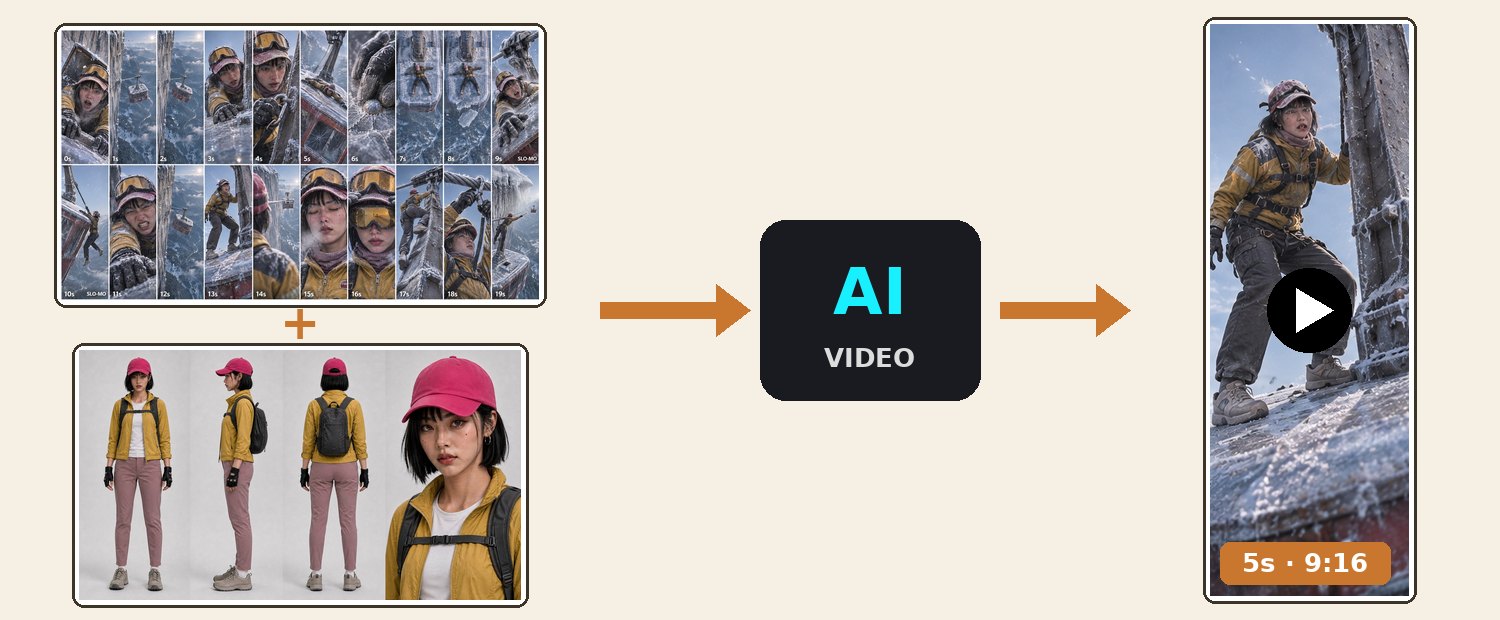
Just do this: 15-second video = 1 panel per second, one 15-panel storyboard
  1. Why? Going straight to video gives you two cliffs, a character running the wrong way, or a new face. A failed video still costs credits
  2. Give ChatGPT Images your character sheet and ask for “this 15-second scene as one storyboard, 1 panel per second, 15 panels”
  3. Lock the direction — e.g. "hero always on the right, chaser always behind on the left", the same in every picture
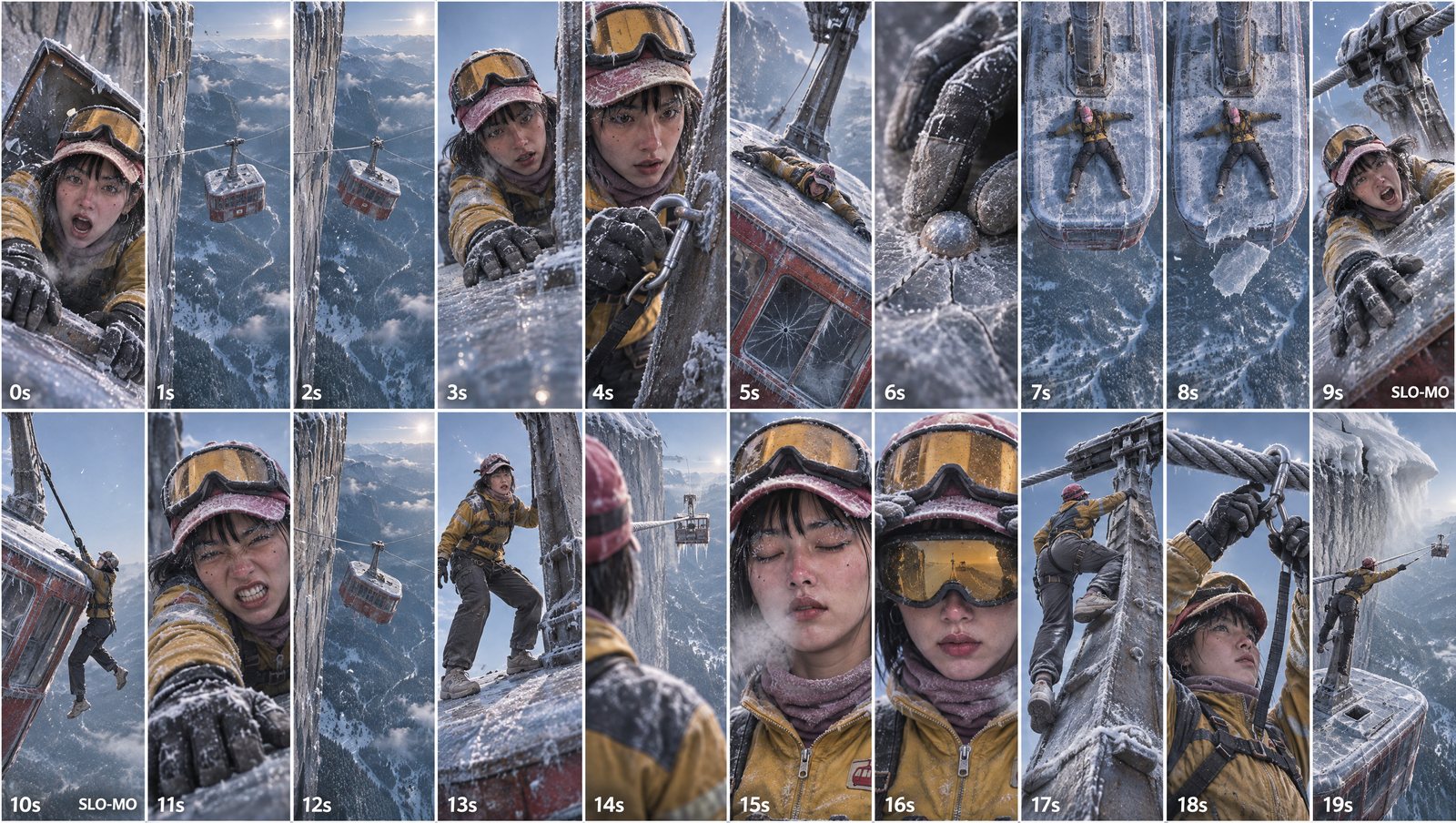
  4. Label each panel with its second (0s, 1s, 2s…) so the beat lines up in the video AI. Mark slow-motion panels SLO-MO
  5. When you make the video, add storyboard picture + character sheet as reference images
  6. 💡 The picture below is the real storyboard used for “Zombie Cliff” — made with ChatGPT Images
storyboard

👆 Example · A real “Zombie Cliff” storyboard — a 20-second video, 1 panel per second (made with ChatGPT Images)
5

Make the videoDoneSave credits: short clips, one shot at a time, with the reference image

1 hCredits
Just do this: Make 3 shots of 5 seconds each
  1. Practice free on Google Flow or Dreamina; for the real thing, pick a video model (Kling or Seedance) in Higgsfield
  2. Upload the storyboard + character sheet as reference images
  3. Paste the motion for that shot into the prompt box — copy one from Action prompts and just change the character
  4. Choose 5 seconds · 9:16 and generate → download if you like it
  5. Check one shot before the next — the best way to save credits
Cut Maker

👆 Storyboard (+ character sheet) → video AI → a 5-second vertical clip

6

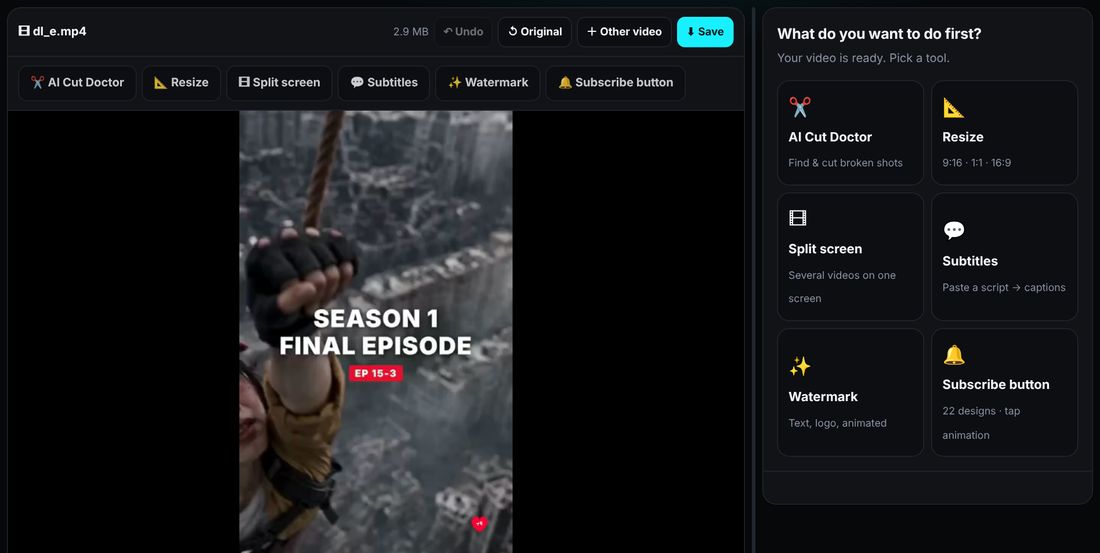
Fix broken shotsDoneAI Cut Doctor finds and cuts the weird parts

5 minFree
Just do this: Drop each clip into Cut Doctor
  1. It finds split-screen glitches, black or frozen frames and repeats automatically
  2. Keep or remove, then save
Cut Maker

👆 AI Cut Doctor flags too-short shots and split-screen glitches
7

Join clips, add subtitles & watermarkDoneAll in Studio (works on phones too)

15 minFree
Just do this: Join 3 clips into one, then polish
  1. Merge clips joins your 3 shots into one video
  2. Open it in Studio for subtitles, watermark and subscribe button in one place — on a phone too
  3. Apply several, then save once at the end
Cut Maker

👆 What it looks like

8

UploadDoneKeep your text clear of the app buttons + write the caption

10 minFree
Just do this: Check the safe zone, then post
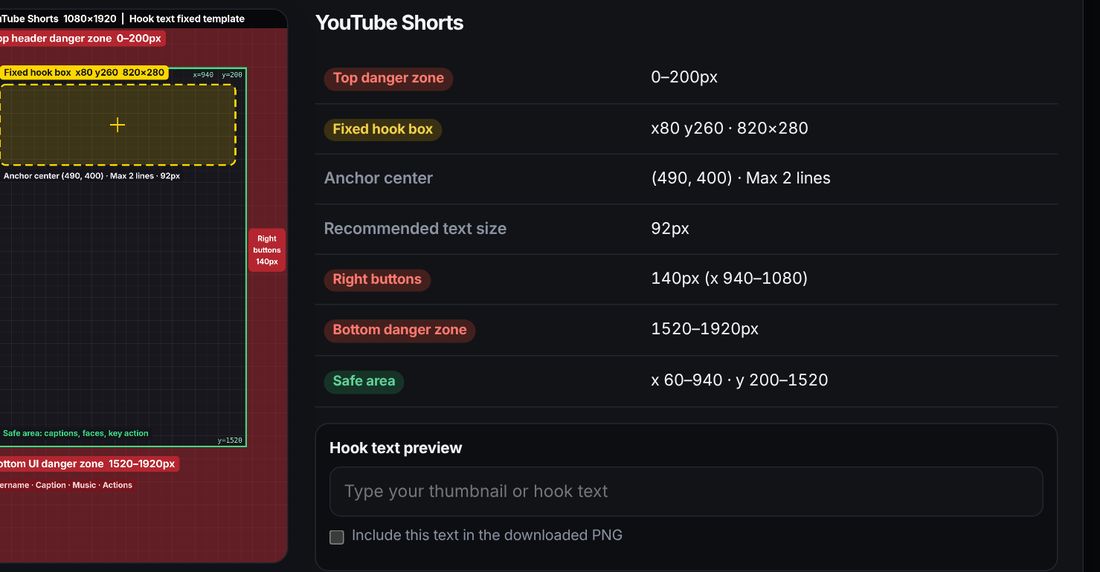
  1. Check with the safe-zone guide that your text isn’t under the buttons
  2. Before posting, make sure it’s vertical 9:16 — if not, fix it with Resize
  3. In the caption, mention the tools you used — people ask
  4. Post it. That’s your first AI video 🎉
Cut Maker

👆 What it looks like

🎉 Your first AI video is done!

Next, make it a series. See how Si-eun’s “Zombie Cliff” grew from episode 1 — every prompt is open.

Watch Zombie Cliff from EP 1 →

Beginner questions

Do I need to connect ChatGPT, Gemini and Claude?

No. Use any one chatbot to help with the story and prompts. Pictures come from an image AI and videos from a video AI — you just move files between them.

Can I really do it for free?

You can practice for free with daily free credits (Google Flow, Dreamina and others). Free videos usually have a watermark and lower quality. When you want clean videos and a series, a paid plan is the faster way.

The face changes in every shot. Why?

Use the same character-sheet image as the reference in every shot, and keep the character description in the prompt exactly the same.

Can I do it all on my phone?

Yes. Story, sheet and video AI all work in a phone browser, and Studio works on phones too. If you opened this inside the Threads or Instagram app, open it in Chrome or Safari so saving works.

Which video AI is best?

Start by practising free on Google Flow or Dreamina. For a series with the same face, Higgsfield is handy because you can switch between models.

Can I remove the watermark from free videos?

No — don’t remove a service’s watermark. If you need clean videos, use a paid plan. You can add your own channel watermark with Cut Maker, though.